
Instagram sharing Instants photos with all your friends? Here is how to make it stop now
Instagram launched Instants yesterday, which is designed to give users a more casual and raw experience. However, most users are facing an issue using it. They end up sending images unknowingly to everyone. Here's how the feature works and how you can turn it off.
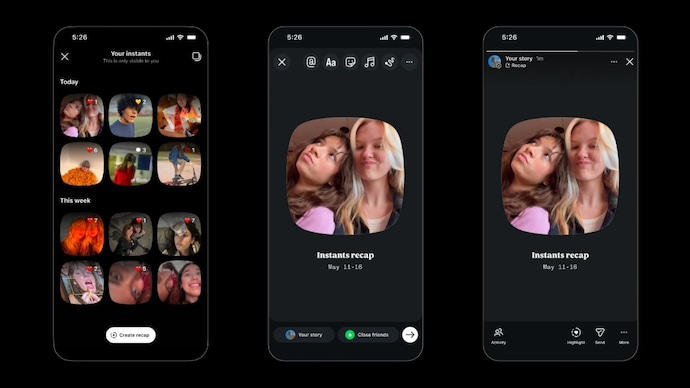

If you use Instagram and got startled when you received an “Instants” photos notification pop up suddenly out of the blue today, don’t worry, you are not alone. Someone did in fact share a photo with you but whether it was intentional, or by mistake, that remains up for debate. You should check with them once, just in case.
Instagram has launched a new quick photo-sharing feature called Instants. You can access it directly from Instagram. Or, through an app which is unsurprisingly called Instants. Being a new feature, people are obviously curious to find out, what it is. Just look at Threads — when the platform was launched, it broke records by reaching 100 million users in just five days.
So, what is Instagram Instants?
Instants photos are essentially ephemeral photos that are automatically deleted in 24 hours after sending. In a sense, Instants is like Snapchat allowing you to share raw, even unedited moments of your life with your near and dear ones. Currently, though, Instagram doesn’t let you share these presumably private photos on individual basis. Say for instance, X can’t share their Instants photo with Y and vice versa. You have two options: share with friends (followers you follow back) and close friends.
So, when you first open Instants — you will find it at the bottom-right corner of your DMs feed, it looks like a mini photo stack — you will get a short introduction from the app stating its features. It tells you there’s no viewers list, and that reactions and replies are private. And then it starts by quickly taking you through the process of using the feature before taking you to the camera.
When you open the camera interface, you will see a shutter button with a sharing toggle placed just below it, offering two options: “Friends” and “Close Friends.” Notably, the feature is set to be in “Friends” by default. But most users don't realise that when they tap the shutter button, their image is automatically sent to everyone on the friends list they followed back. There is the off chance some users may not even realise that their photo was sent to all their friends when there is a possibility, they wanted to share it with some, could be even one among the lot.
As Instagram has already conditioned people to expect polished content, and the rise of AI has further reinforced the idea that everything needs to look perfect, this lack of more granular control, may frustrate some users. And this is why some of the users are looking for ways to disable the feature.
How to turn off Instagram Instants
If you want to turn off Instants, open your profile and tap the three-line menu in the top-right corner to go to Settings. Then scroll down to “Content Preferences” and switch on the “Hide Instants in Inbox” option.
Once you do that, Instants will disappear from your inbox, and you also won’t see any Instants sent by other people.
And if you don’t want to disable the feature completely, there’s another option too. Just press and hold the Instants stack in your inbox and swipe right to temporarily stop receiving them.
If you want to delete the Instants photo you shared with friends, you have that option too, but it is also a full delete meaning it will disappear from everyone’s feed at the same time. Instants has its own dedicated gallery from where you can choose to remove sent photos.