
Anthropic launches Claude computer use on Windows, this is how it works
Anthropic has announced that the computer use feature in Claude Cowork and Claude Code is now available to users on Windows, just days after the release on macOS. Here is how it works.

Claude computer use is now available on Windows. Here is what it can do. (Representational image made with AI)

New Delhi,UPDATED: Apr 3, 2026 09:30 IST
A few days ago, Anthropic released computer use for Claude Cowork and Claude Code. The feature allows the AI to do almost everything on your computer by itself. This includes the creation and testing of apps. Though initially, this feature was limited to macOS. Now, the AI startup has brought computer use to Windows.
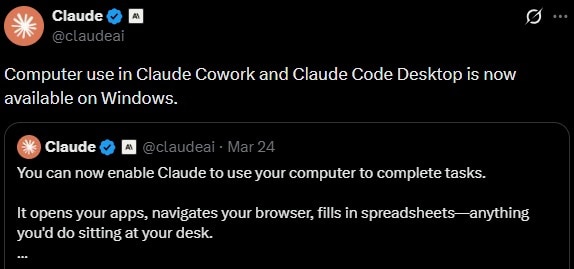
The official Claude account on X wrote on Thursday, “Computer use in Claude Cowork and Claude Code Desktop is now available on Windows.” Here is how it works, and what you need to know.
What is Claude computer use?
Computer use is a Claude feature that gives the AI more capability when it comes to autonomous tasks.
When you use this feature, Claude is able to open applications, navigate interfaces, run tests, identify bugs, and fix them autonomously. That is, the AI can do almost every stage on its own, from writing the code for an app, to testing and fixing any potential bugs. According to Anthropic, the entire process can be completed in a single prompt.
How to use Claude computer use?
Similar to macOS, computer use on Windows is available as a research preview through Claude Cowork and Claude Code for Claude Pro and Claude Max subscribers.
The feature requires no additional setup or terminal commands. Users simply download the app, and Claude uses existing system resources to execute tasks.
Computer use also pairs up with the Dispatch feature that allows users to remotely give tasks to Claude via your smartphone.
Users need to approve app access to Claude per session for security reasons. The AI can only control apps permitted during the specific session. You may also get additional warnings for apps that have broad system access.
The system maintains a lock to ensure only one Claude session controls the computer at a time, and users can abort any action immediately using the Esc key or terminal commands.
Anthropic clarifies higher token use
In the past week, Anthropic has received feedback from users who claim that their Claude usage limits have drained much faster than usual. The company had previously assured users that it was investigating the issue. Now, Anthropic’s Lydia Hallie has confirmed that no one was charged extra.
She wrote on X, “Peak-hour limits are tighter and 1M-context sessions got bigger, that's most of what you're feeling. We fixed a few bugs along the way, but none were over-charging you.”

Anthropic had previously stated that users will have reduced limits while using Claude during peak hours. Hallie also shared some tips including encouraging the use of Claude Sonnet 4.6 model for Pro subscribers. She added, “Sonnet 4.6 is the better default on Pro. Opus burns roughly twice as fast. Switch at session start.”
- Ends